How to Merge PDF Files Online for Free (Step-by-Step Guide)
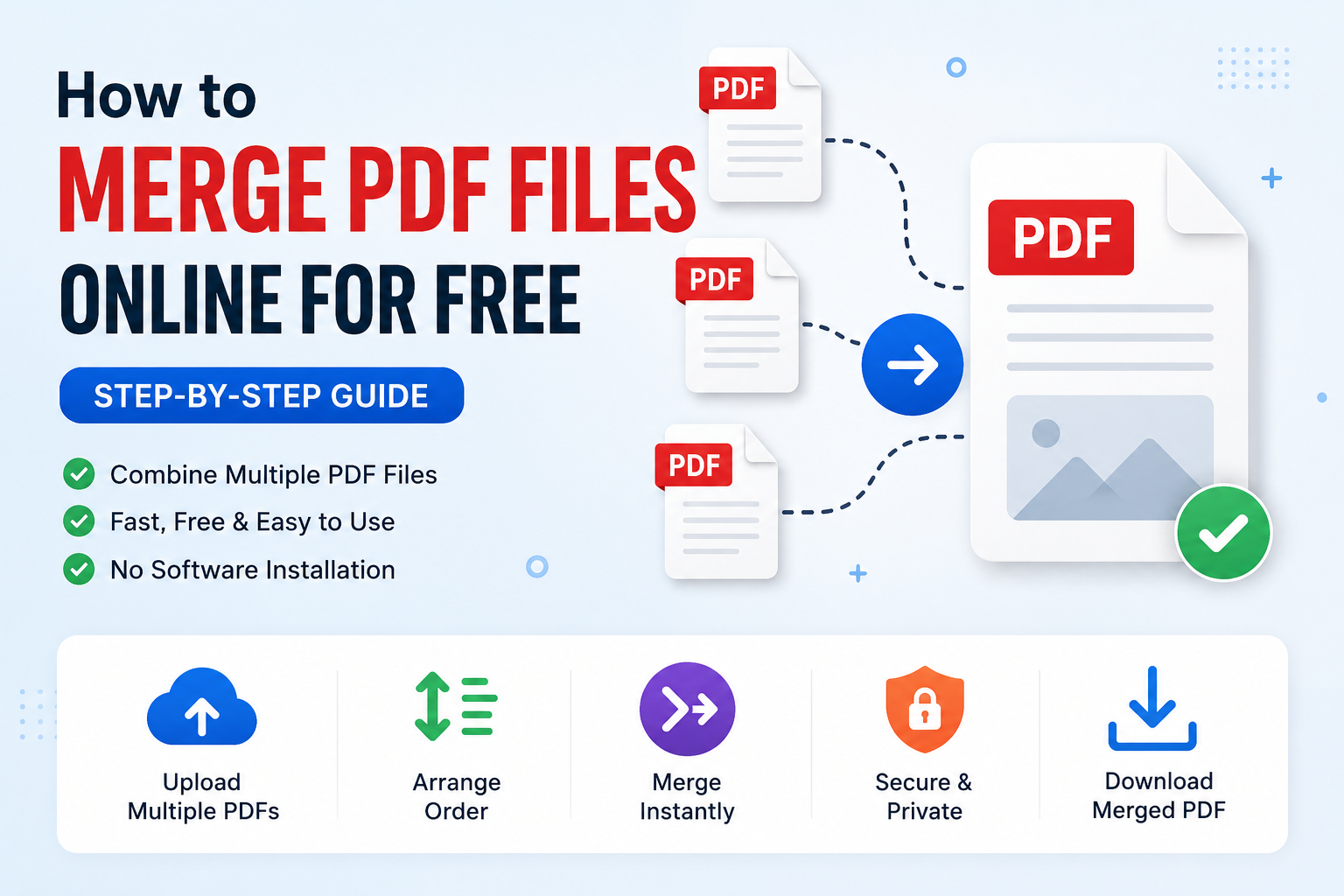
Managing multiple PDF documents separately can become messy and inconvenient.
Many users need to combine invoices, assignments, reports, scanned documents, or forms into a single PDF file for easier sharing and organization.
If you are searching for ways to merge PDF files online for free, combine PDFs without installing software, or join multiple PDF pages into one document, this guide will help you.
In this article, you will learn how to merge PDF files step-by-step using free online tools directly in your browser.
What Does Merging PDF Files Mean?
Merging PDF files means combining multiple PDF documents into one single file.
Instead of sending several separate PDFs, you can organize everything into one clean document.
This is useful for:
- Combining assignment pages
- Merging scanned documents
- Joining invoices and receipts
- Creating one complete report
- Organizing business documents
- Reducing file management clutter
Why Merge PDF Files?
There are many benefits to combining PDFs into one document:
- Easier file sharing
- Cleaner document organization
- Better compatibility for email attachments
- More professional presentation
- Reduced risk of missing pages
- Simpler printing and archiving
Instead of uploading multiple separate files, many websites and applications also prefer receiving a single PDF document.
How to Merge PDF Files Online for Free
Using an online PDF merger is one of the fastest and easiest methods because no software installation is required.
You can combine PDFs instantly here:
👉 PDF Merger Tool – Combine PDF Files Online
Step-by-Step Guide
- Open the PDF Merger tool
- Upload multiple PDF files
- Arrange the files in the correct order
- Click the merge button
- Wait for processing to complete
- Download the merged PDF file
The entire process usually takes only a few seconds depending on file size and the number of documents.
Common Problems When Combining PDFs
Some users experience issues while merging PDF files.
Here are the most common problems and solutions:
1. PDF File Size Too Large
Large PDF files can be slow to upload or difficult to share through email and messaging apps.
Compressing PDFs before or after merging can help reduce file size significantly.
Try this free tool:
👉 PDF Compressor – Reduce PDF File Size Online
2. Wrong Page Order
Always arrange PDF files carefully before merging.
Most online tools allow drag-and-drop sorting to reorder documents easily.
3. Scanned PDFs Appear Blurry
Low-quality scans may appear blurry after merging because the original files already contain compressed images.
Using higher scan resolution can improve final PDF quality.
4. Too Many Unnecessary Pages
Before merging, you may want to remove unnecessary pages from your PDF documents.
Use this tool:
👉 PDF Splitter – Extract or Remove PDF Pages
Best Practices Before Merging PDFs
To achieve cleaner and more professional results, follow these tips before combining PDF files:
- Rename files clearly before uploading
- Arrange pages in proper order
- Remove duplicate or unnecessary pages
- Compress very large PDFs if needed
- Ensure all pages are readable
- Check document orientation before merging
Can You Merge PDFs on Mobile Phones?
Yes. Most modern PDF merger tools work directly inside mobile browsers on Android and iPhone devices.
You can combine PDF files without installing additional apps.
This is useful for:
- Students submitting assignments
- Office workers sending reports
- Freelancers sharing portfolios
- Business document management
Is It Safe to Merge PDF Files Online?
Yes. EasyToolHub PDF tools process files directly inside your browser whenever possible.
Your documents are not permanently stored on external servers, helping improve privacy and security.
Always avoid uploading sensitive confidential files to unknown websites.
How to Create PDF Files Before Merging
Sometimes users first need to convert images into PDF documents before combining everything together.
You can create PDFs from images here:
👉 Image to PDF Converter – Convert JPG & PNG to PDF
When Should You Split PDFs Instead?
Instead of merging PDFs, some situations require splitting documents into smaller sections.
For example:
- Removing unnecessary pages
- Extracting important sections
- Creating smaller upload files
- Separating chapters or invoices
You can split PDF files online here:
👉 PDF Splitter Tool – Split PDF Pages Online
Advantages of Online PDF Tools
| Feature |
Benefit |
| No Installation |
Works directly in browser |
| Free Access |
No subscription required |
| Mobile Friendly |
Use on Android and iPhone |
| Fast Processing |
Merge documents quickly |
Conclusion
Merging PDF files online is a simple and effective way to organize documents, reduce clutter, and improve file sharing.
Using free browser-based tools allows you to combine PDFs quickly without installing software.
For best results, organize your pages properly, remove unnecessary sections, and compress large files when needed.
👉 Try these free PDF tools now:
How to Merge PDF Files Online for Free (Step-by-Step Guide)
Managing multiple PDF documents separately can become messy and inconvenient. Many users need to combine invoices, assignments, reports, scanned documents, or forms into a single PDF file for easier sharing and organization.
If you are searching for ways to merge PDF files online for free, combine PDFs without installing software, or join multiple PDF pages into one document, this guide will help you.
In this article, you will learn how to merge PDF files step-by-step using free online tools directly in your browser.
What Does Merging PDF Files Mean?
Merging PDF files means combining multiple PDF documents into one single file. Instead of sending several separate PDFs, you can organize everything into one clean document.
This is useful for:
Why Merge PDF Files?
There are many benefits to combining PDFs into one document:
Instead of uploading multiple separate files, many websites and applications also prefer receiving a single PDF document.
How to Merge PDF Files Online for Free
Using an online PDF merger is one of the fastest and easiest methods because no software installation is required.
You can combine PDFs instantly here:
👉 PDF Merger Tool – Combine PDF Files Online
Step-by-Step Guide
The entire process usually takes only a few seconds depending on file size and the number of documents.
Common Problems When Combining PDFs
Some users experience issues while merging PDF files. Here are the most common problems and solutions:
1. PDF File Size Too Large
Large PDF files can be slow to upload or difficult to share through email and messaging apps. Compressing PDFs before or after merging can help reduce file size significantly.
Try this free tool:
👉 PDF Compressor – Reduce PDF File Size Online
2. Wrong Page Order
Always arrange PDF files carefully before merging. Most online tools allow drag-and-drop sorting to reorder documents easily.
3. Scanned PDFs Appear Blurry
Low-quality scans may appear blurry after merging because the original files already contain compressed images. Using higher scan resolution can improve final PDF quality.
4. Too Many Unnecessary Pages
Before merging, you may want to remove unnecessary pages from your PDF documents.
Use this tool:
👉 PDF Splitter – Extract or Remove PDF Pages
Best Practices Before Merging PDFs
To achieve cleaner and more professional results, follow these tips before combining PDF files:
Can You Merge PDFs on Mobile Phones?
Yes. Most modern PDF merger tools work directly inside mobile browsers on Android and iPhone devices. You can combine PDF files without installing additional apps.
This is useful for:
Is It Safe to Merge PDF Files Online?
Yes. EasyToolHub PDF tools process files directly inside your browser whenever possible. Your documents are not permanently stored on external servers, helping improve privacy and security.
Always avoid uploading sensitive confidential files to unknown websites.
How to Create PDF Files Before Merging
Sometimes users first need to convert images into PDF documents before combining everything together.
You can create PDFs from images here:
👉 Image to PDF Converter – Convert JPG & PNG to PDF
When Should You Split PDFs Instead?
Instead of merging PDFs, some situations require splitting documents into smaller sections. For example:
You can split PDF files online here:
👉 PDF Splitter Tool – Split PDF Pages Online
Advantages of Online PDF Tools
Conclusion
Merging PDF files online is a simple and effective way to organize documents, reduce clutter, and improve file sharing. Using free browser-based tools allows you to combine PDFs quickly without installing software.
For best results, organize your pages properly, remove unnecessary sections, and compress large files when needed.
👉 Try these free PDF tools now:
AUTHOR
EasyToolHub